

What Is a Google Business Profile? Definition, Features & Examples

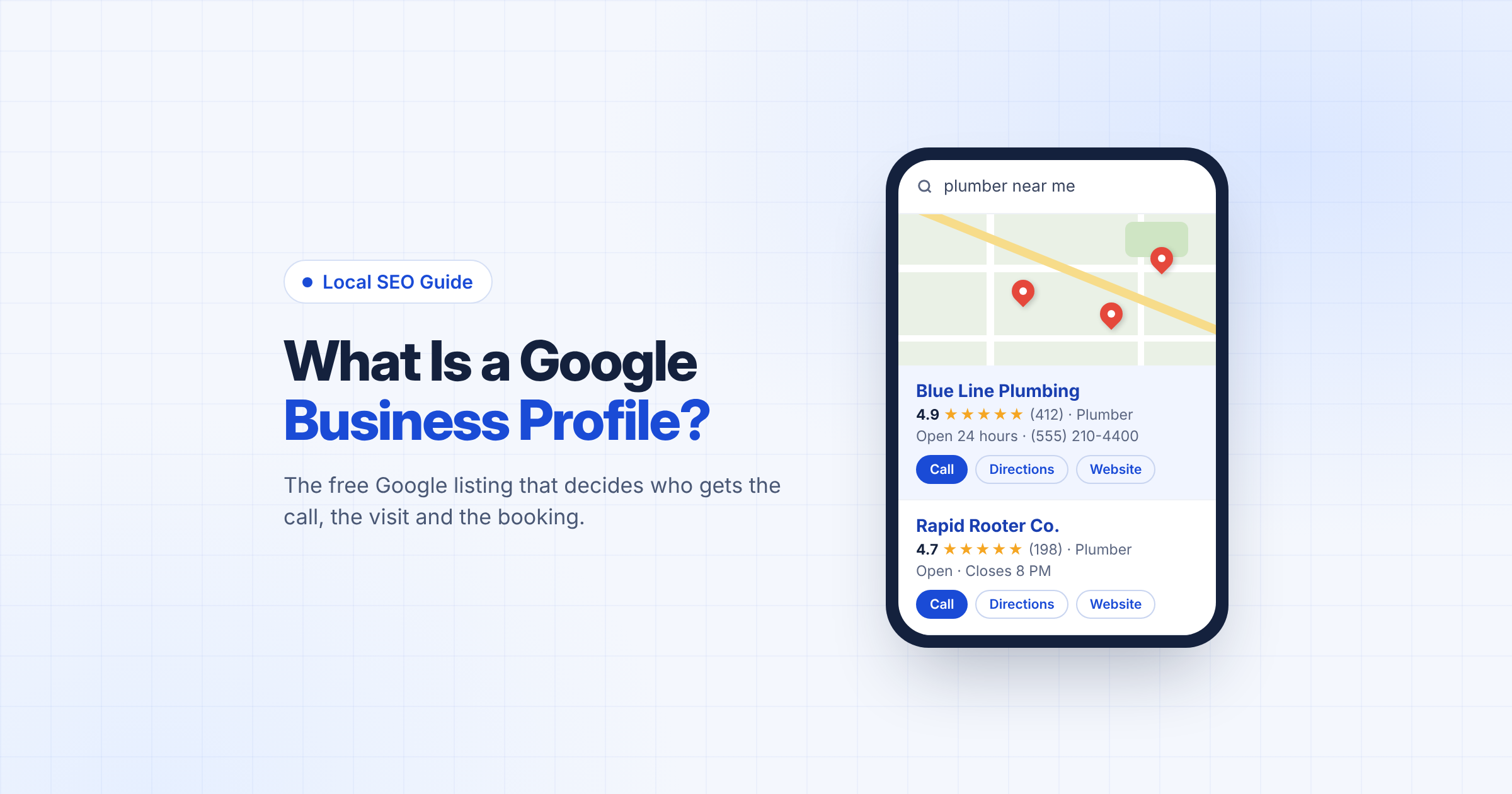
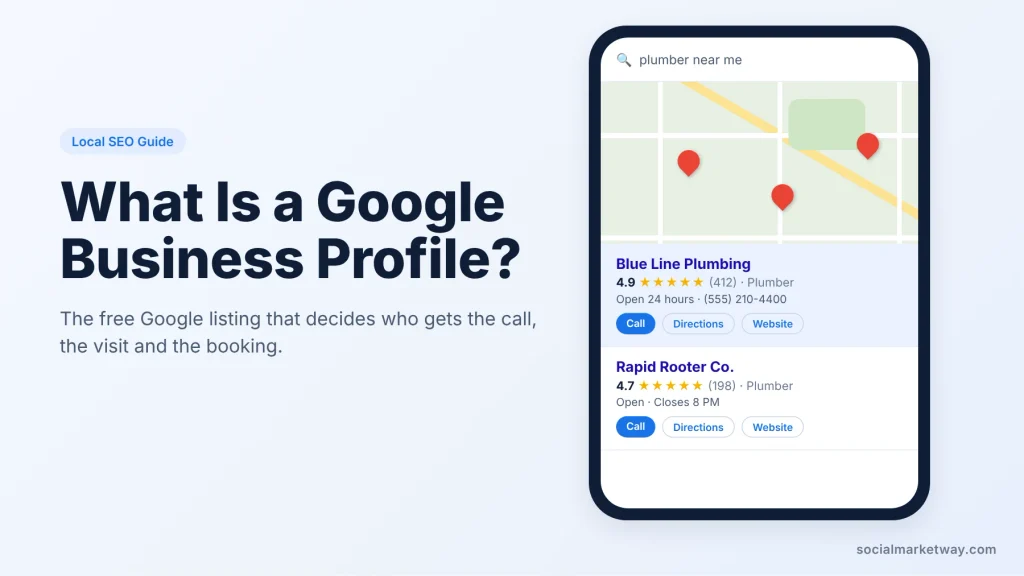
Search “plumber near me” or “best tacos” and you’ll see a map, three businesses, star ratings, hours, and a big blue Call button before you see a single website. Every one of those results is a Google Business Profile. For most local businesses, it is the first thing a customer sees and often the only thing they check before they call, visit or book.
Quick answer: What is a Google Business Profile? A Google Business Profile (formerly Google My Business) is a free listing from Google that shows your business name, address, phone number, hours, photos, reviews and services on Google Search and Google Maps. Verified owners can edit it, reply to reviews, publish posts and track how customers find them.
In this guide we’ll explain what a Google Business Profile is in plain English, show you what one looks like, walk through every feature that matters right now, and cover how to set one up without tripping Google’s guidelines. If you want a team to handle the whole thing, our local SEO services are built around getting businesses into the map results.
What Is a Google Business Profile?
A Google Business Profile is your business’s official presence on Google. It’s a free public listing that holds the facts customers need to choose you: your name, category, address or service area, phone number, website, hours, photos, products, services and reviews.
Google builds these listings from several sources: information owners submit, public data, edits from users, and its own checks (Google even calls some businesses with an automated assistant to confirm details like curbside pickup). Anyone can find a business’s profile, but only a verified owner or manager can control what it says.
That’s the key distinction. A listing can exist without you. If your business has been around for a while, Google has probably already created one. Claiming and verifying it is how you take control of it, so customers see accurate information instead of Google’s best guess.
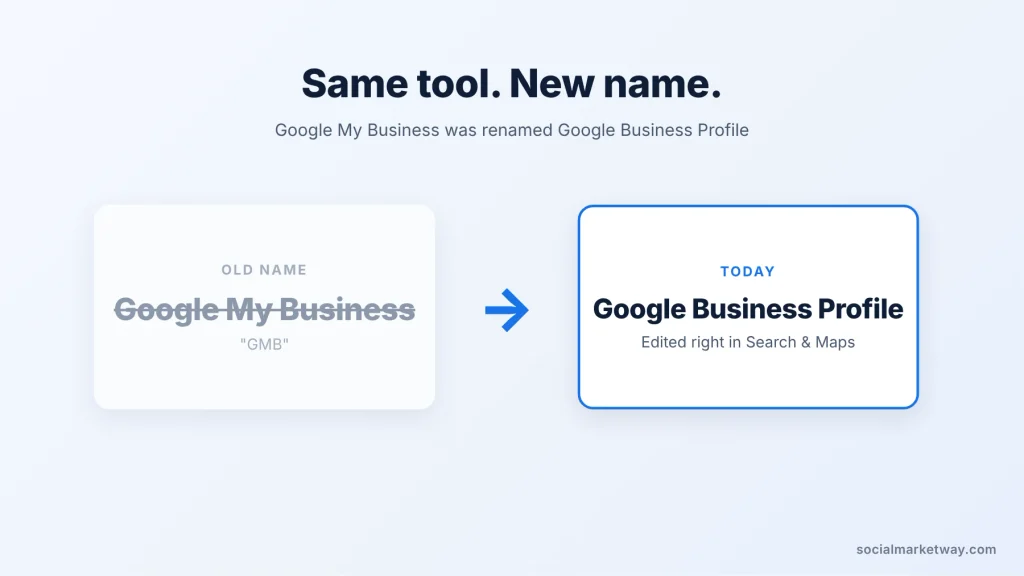
Google My Business vs. Google Business Profile: same thing, new name
If you’ve been searching “what is Google My Business,” you’re in the right place. Google My Business (GMB) was the name of the tool businesses used to manage their listings. Google later renamed it Google Business Profile to keep things simple, and the desktop tool for agencies and multi-location brands became Business Profile Manager.
Today most owners edit their profile directly from Google Search or the Google Maps app. Search your business name while signed in and the editing tools appear right on the results page.
Google My Business definition (the short version): the old name for Google Business Profile, Google’s free tool for managing how a business appears on Search and Maps.
Google listing vs. Google business page vs. Google Business Profile
People use a handful of names for the same thing. Here’s how they line up:
| Term people search | What it actually means |
|---|---|
| Google Business Profile | The official name for your business listing on Google |
| Google My Business / GMB | The old name for Google Business Profile |
| Google listing / Google business listing | The public-facing profile customers see on Search and Maps |
| Google business page | Another informal name for the same profile |
| Knowledge panel (local) | The box on the right of desktop search results where your profile is displayed |
| Business Profile Manager | The dashboard for managing several profiles at once |
So what is a Google listing? It’s simply your Google Business Profile as the public sees it. Same data, same profile, different name.
Where Does a Google Business Profile Show Up?
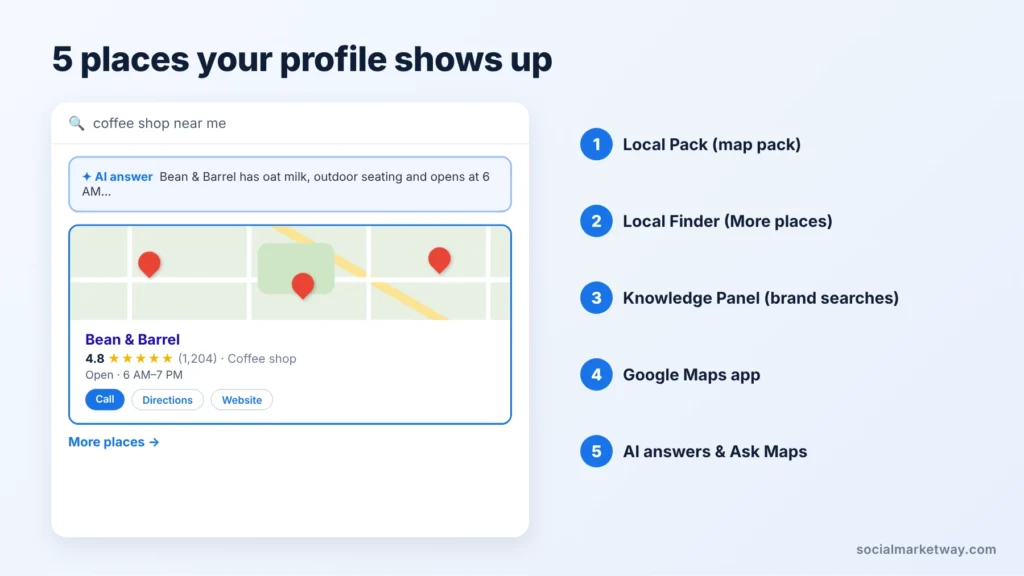
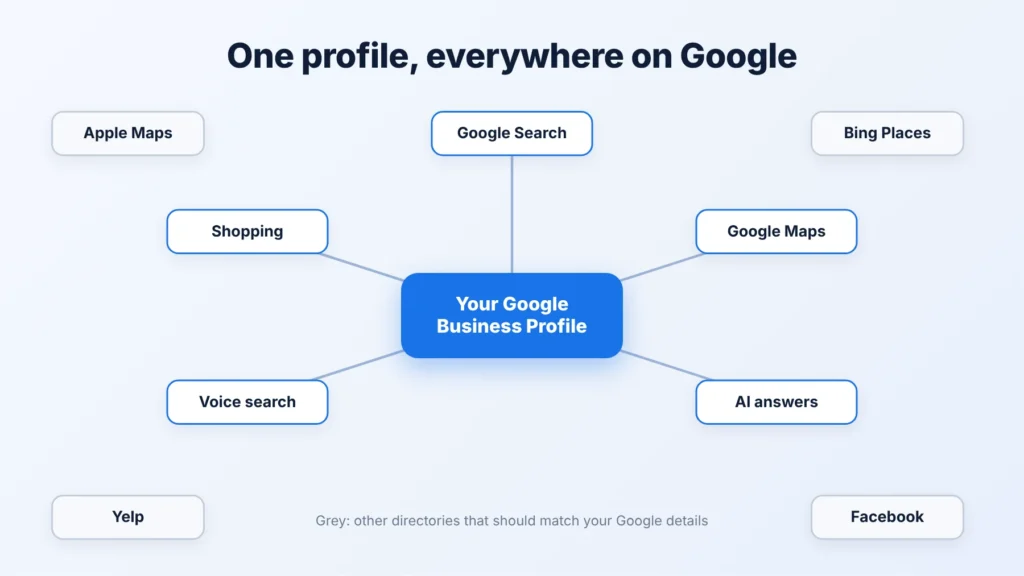
One profile feeds several different places on Google. Update your hours once and the change appears everywhere at once. Here’s where customers will run into your business.
1. The Local Pack (the “map pack”)
This is the block of three businesses with a map that appears near the top of Google for searches with local intent, like “dentist in Miami” or “roof repair near me.” It’s the most valuable real estate in local search, and it’s powered entirely by Business Profiles. Sponsored listings now show up inside the pack more often, which makes the remaining organic spots even more competitive.
2. The Local Finder
Click “More places” under the Local Pack and you land in the Local Finder, a longer, scrollable list of businesses with a bigger map. Customers comparing options spend a lot of time here.
3. The Knowledge Panel
When someone searches your business by name, your profile appears as a large panel (on the right on desktop, at the top on mobile). This is the branded view of your profile, with photos, reviews, hours, directions and action buttons.
4. Google Maps
Every search, tap and “directions to” request in the Maps app pulls from Business Profiles. Maps is also where customers save places, share them with friends and leave most of their reviews.
5. AI answers in Search and Maps
This is the newest and fastest-growing surface. Google’s Gemini-powered features, including Ask Maps and AI answers in Search, read your profile, your reviews and your website to answer questions like “Which bakery near me has gluten-free options?” If the details aren’t on your profile, the AI can’t recommend you for them.
Ranking in each of these places takes more than just having a profile. We break down every ranking factor in our Google Business Profile SEO guide to ranking in Google Maps and the Local Pack.
What Is Google My Business Used For? 6 Real Benefits
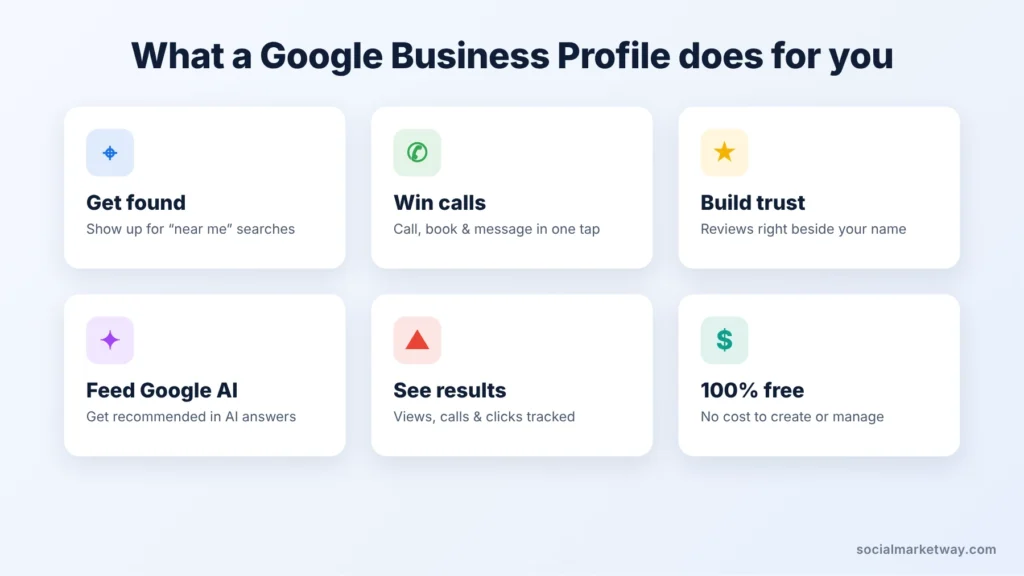
A Business Profile isn’t just a digital business card. Used well, it’s a lead generator that works around the clock. Here’s what it actually does for you.
1. It gets you found by people ready to buy. Someone searching “emergency electrician near me” isn’t browsing. They need help now. Your profile puts you in front of them at that exact moment, often above every website in the results.
2. It turns searches into calls, visits and bookings without a website click. Customers can call, get directions, message you, book an appointment or order straight from your listing. For many local businesses, more leads come from the profile than from the website.
3. It builds trust through reviews. Star ratings show up right next to your name in the Local Pack. A strong rating with recent, detailed reviews is often the deciding factor between you and the business listed below you. Replying to reviews, good and bad, shows prospects that a real person stands behind the business.
4. It feeds Google’s AI. Ask Maps and AI answers in Search lean heavily on profile data, reviews and attributes. A complete profile gives Google more reasons to mention you when someone asks a detailed question.
5. It shows you how customers find you. The Performance dashboard reports how many people viewed your profile, which search terms they used, and how many called, clicked to your site or requested directions. Google Analytics can now import several of these profile metrics too.
6. It’s free. There’s no charge to create, verify or manage a profile. Google does sell ads that appear in Maps and the Local Pack, but the profile itself costs nothing. Few marketing channels offer this much visibility for zero ad spend.
Google Business Profile Features: What You Can Add and Manage
Google keeps adding to and removing from the profile, so a lot of guides online are out of date. Here’s a breakdown of the Google Business Profile features that matter right now.
| Feature | What it does | Why it matters |
|---|---|---|
| Business name, category & description | Tells Google what you are and what you do | Your primary category is one of the strongest ranking signals |
| Address or service area | Shows your location, or the areas you serve if you go to customers | Determines which searches you’re eligible to appear for |
| Hours & special hours | Regular, holiday and special opening times | Wrong hours = lost visits and angry reviews |
| Phone, website & booking links | Direct ways to contact or book | Drives calls, site visits and appointments |
| Photos & videos | Logo, cover, interior, exterior, team, work samples | Profiles with fresh, real photos get more engagement |
| Products & services | A catalog of what you sell, with prices and descriptions | Google surfaces products in Maps and AI answers |
| Posts | Updates, offers and events published to your profile | Keeps the profile active and promotes timely deals |
| Reviews & replies | Customer star ratings and written feedback, plus your responses | Trust, conversions and a ranking factor |
| Attributes | Tags like “women-owned,” “wheelchair accessible,” “free Wi-Fi” | Helps you match specific searches and AI questions |
| Messaging (incl. WhatsApp & SMS) | Lets customers message you from the profile | Captures leads who won’t pick up the phone |
| Performance insights | Views, searches, calls, clicks and direction requests | Shows what’s working |
| Collected info | Shows details Google gathered by calling your business | Lets you confirm or correct what Google learned |
Features that changed recently
- Q&A is gone. The old public Questions & Answers section has been replaced by an AI-powered Ask experience in Google Maps. It answers customer questions using your profile, reviews and photos. The takeaway: put the answers to common questions directly into your description, services and attributes.
- Chat and free websites were retired. Google shut down the old Business Messages chat and the simple websites built from profile data. If you were relying on either, you need a real website and a supported messaging option.
- Gemini can now help manage profiles. Owners can use Google’s Gemini assistant to make updates to their profile (availability varies by region).
- Google Business Home (beta) brings your Business Profile, Merchant Center, YouTube and Ads accounts into one dashboard.
Google Business Profile Example: What a Strong Profile Looks Like
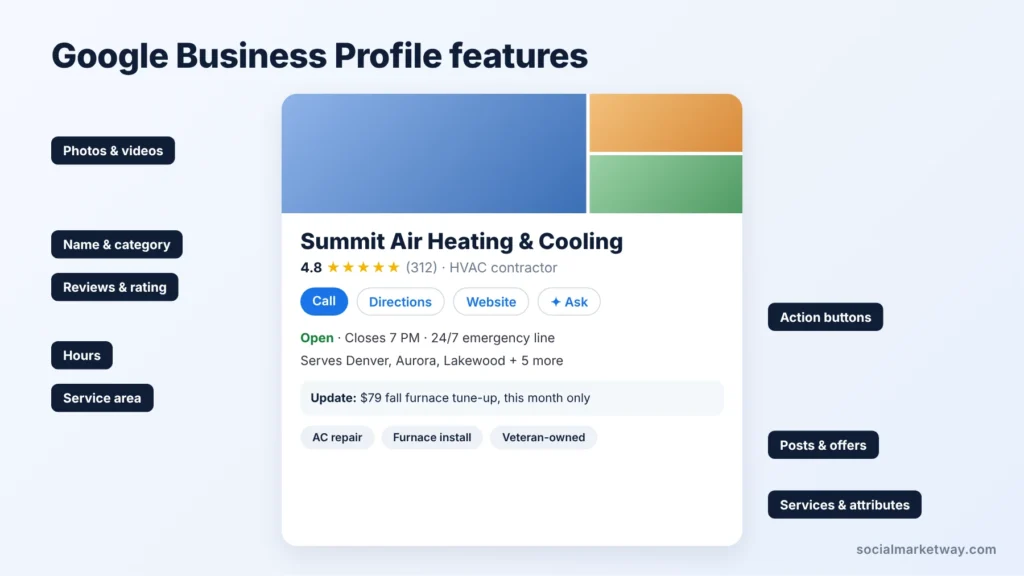
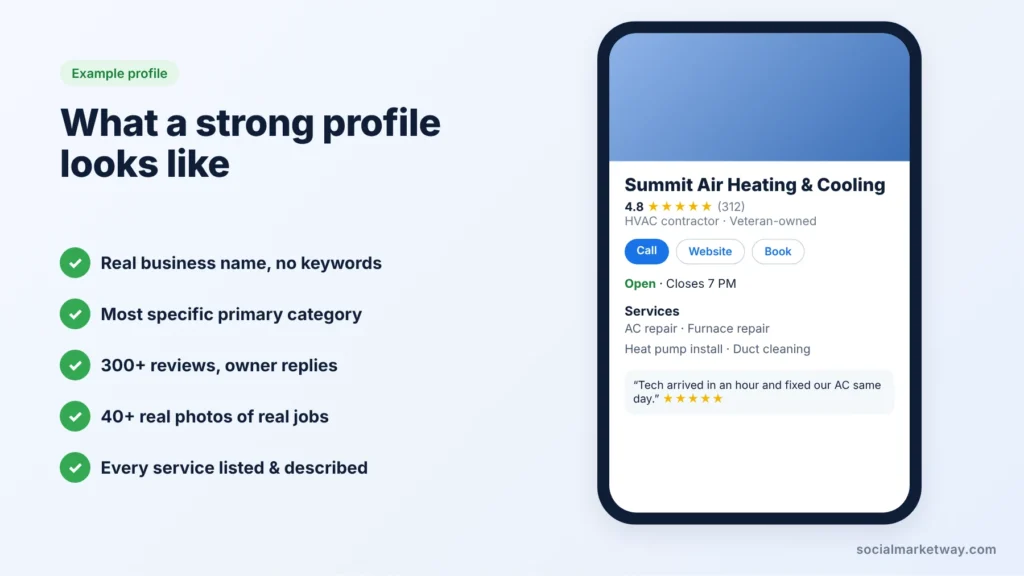
It’s easier to understand a Business Profile when you see one done well. Below is a Google Business Profile example for a made-up HVAC company, “Summit Air Heating & Cooling,” with notes on what each element does.
| Profile element | Summit Air’s version | Why it works |
|---|---|---|
| Business name | Summit Air Heating & Cooling | Matches the sign and invoices exactly. No keywords stuffed in. |
| Primary category | HVAC contractor | The most specific category for its main service |
| Secondary categories | Air conditioning repair service, Furnace repair service | Covers its other core services without overreaching |
| Description | 600+ characters covering services, areas served, years in business and licensing | Answers the questions customers and AI tools ask |
| Service area | 8 nearby cities and ZIP codes | Realistic: within its actual driving radius |
| Hours | Mon–Sat 7am–7pm, plus 24/7 emergency line noted | Clear, accurate and updated for holidays |
| Photos | 40+ real photos: trucks, technicians, before/after installs | Shows a real, active company |
| Reviews | 4.8 stars from 300+ reviews, owner replies to nearly all | Builds trust and signals an engaged business |
| Services | Each service listed with a short description | Helps it match long-tail searches |
| Posts | A seasonal maintenance offer each month | Keeps the profile fresh and promotes deals |
| Attributes | Veteran-owned, online estimates, onsite services | Matches filters and AI questions |
Notice what’s not there: no “Best HVAC Denver Cheap” in the business name, no fake address, no stock photos. Those shortcuts might give a short bump, but they’re also the fastest way to get a profile suspended.
The pattern holds for any industry. A restaurant example would lean on its menu, food photos and reservation link. A law firm would focus on practice-area services, attorney photos and detailed reviews. A retail store would use its product catalog and in-store attributes.
Who Can Get a Google Business Profile?
To qualify, a business has to make in-person contact with customers during its stated hours. That covers two situations: customers come to you, or you go to them. Purely online businesses (an e-commerce store with no showroom, for example) aren’t eligible for a standard profile.
There are three types of profile, and choosing the right one matters:
| Profile type | Who it’s for | How the address works |
|---|---|---|
| Storefront | Restaurants, shops, clinics, salons, offices that customers visit | Address is shown publicly; permanent signage is expected |
| Service-area business (SAB) | Plumbers, cleaners, roofers, mobile groomers who travel to customers | Address is hidden; you list up to 20 service areas |
| Hybrid | Businesses that serve customers on-site and at their own location (e.g., a pizzeria that delivers) | Address shown, plus service areas |
A few rules trip people up:
- Virtual offices and mailboxes don’t count. A UPS box or a coworking address you never staff can get a profile suspended.
- Service areas should be realistic. Google’s guidance is to keep them within roughly two hours’ drive of your base.
- One profile per real location. You can’t create extra profiles to cover more cities if you don’t have a staffed location in each one.
That last rule is why businesses that sell across the country can’t rely on Business Profiles alone. If you serve customers nationwide from one or two offices, your growth comes from your website ranking in regular organic results. That’s what our national SEO services focus on.
Is Google Business Profile free? Yes. Creating, verifying and managing a profile is completely free. Be cautious of anyone who calls claiming to be “from Google” and asks for payment to verify or protect your listing.
How to Create and Verify a Google Business Profile
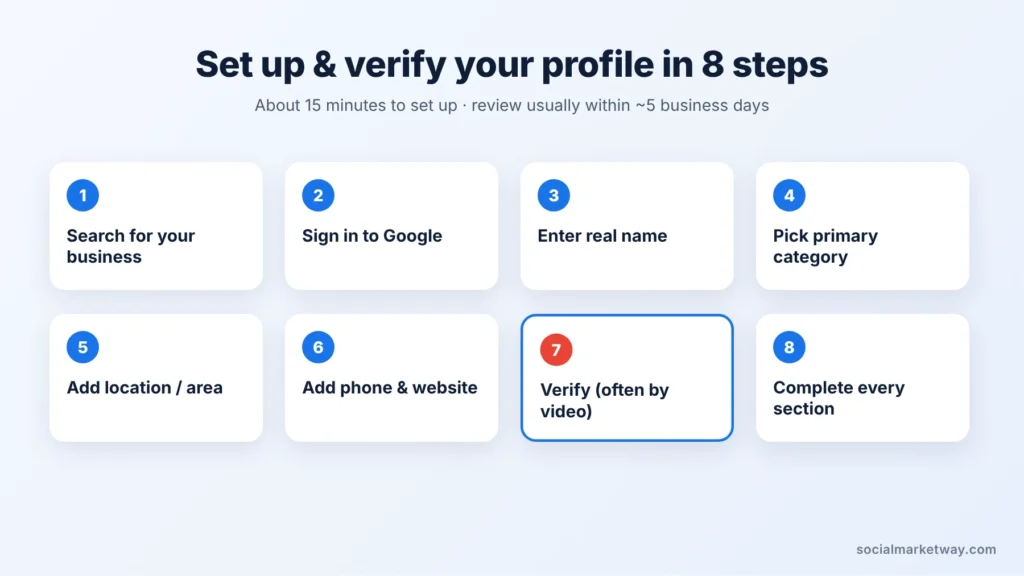
Setting up a profile takes about 15 minutes. Verification can take longer. Here’s the process:
- Search for your business first. Look up your business name on Google Maps. If a listing already exists, choose “Claim this business” instead of creating a duplicate.
- Go to Google Business Profile. Sign in with a Google account you’ll keep long-term. Use a company account, not a personal account belonging to one employee.
- Enter your business name. Use your real-world name exactly as it appears on your signage and paperwork.
- Pick your primary category. Choose the most specific category for your main service. You can add secondary categories later.
- Add your location or service area. Storefronts enter their address. Service-area businesses hide the address and list the areas they serve.
- Add your phone number and website. Use a local number if you have one, and link to your homepage or the matching location page.
- Verify the business. Google picks the method for you based on your business type and region. Options include a phone call, text, email, a recorded video, a live video call, or a postcard with a code. Video verification is now the most common method for new profiles. Record one continuous take showing your signage, your location or work vehicle, and proof you manage the business (like unlocking the door or showing business documents).
- Complete the profile. Once verified, fill in every section: hours, description, services, products, photos and attributes. A half-finished profile wastes the work you did to get verified.
Google usually reviews a profile within about five business days after you complete verification. Postcard codes, when used, typically arrive within 14 days.
Managing 10 or more locations? Brands with 10+ locations can request bulk verification through Business Profile Manager instead of verifying each one individually. Keeping dozens of profiles consistent is a job of its own, which is why multi-location brands usually pair this with dedicated franchise SEO.
How Google Decides Which Profiles to Show
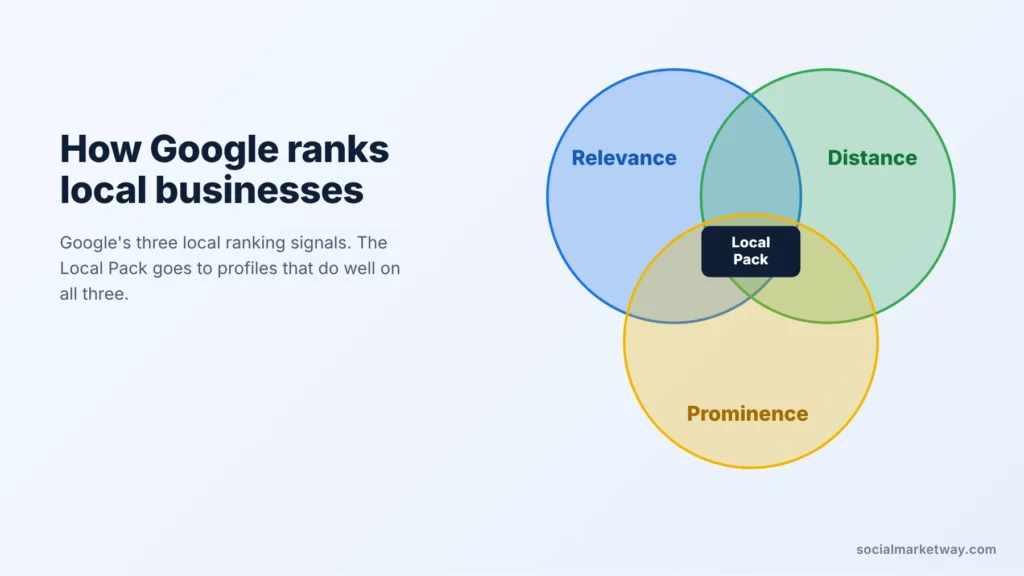
Google says local results are ranked on three things: relevance, distance and prominence. Understanding these three explains almost every optimization tip you’ll ever read.
- Relevance: how well your profile matches what someone searched. Categories, services, description and reviews all feed this.
- Distance: how far your business is from the searcher, or from the location in their search. You can’t change this much, which is why the other two matter so much.
- Prominence: how well known and trusted your business is, online and off. Reviews, links, mentions across the web and your website’s authority all count.
How to Optimize Your Google Business Profile
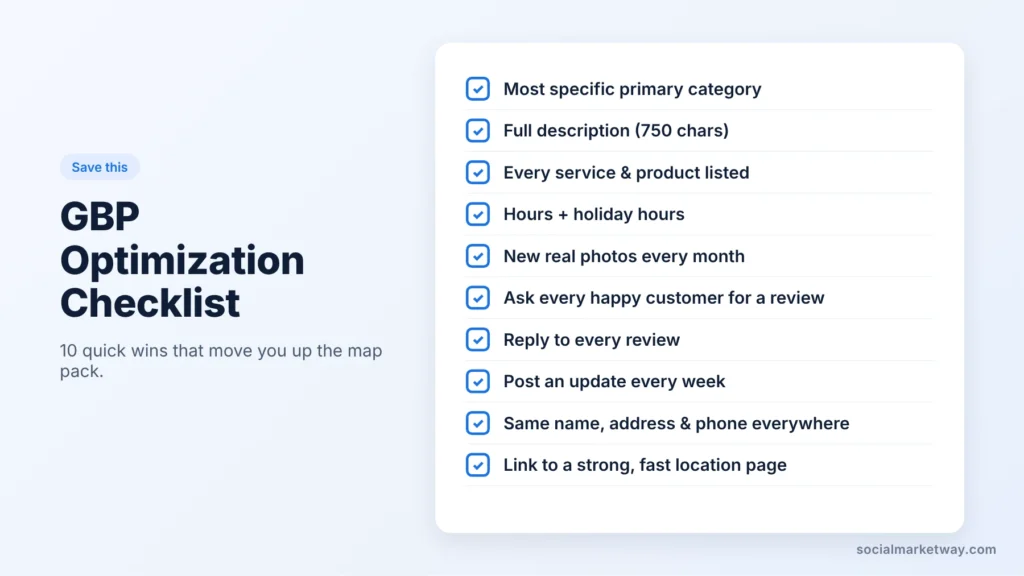
Verification gets you in the game. Optimization is how you win it. Start with these quick wins:
- Nail your primary category. Look at which category the top three competitors in your Local Pack use. It’s the single most influential field you control.
- Fill out every section. Services, products, attributes, hours, holiday hours and a full description. Empty fields are missed chances to match a search.
- Upload real photos regularly. Your team, your work, your location, your vehicles. Add new ones every month.
- Get a steady stream of reviews. Ask every happy customer, make it easy with a short link, and reply to every review within a couple of days.
- Post weekly. Offers, project highlights, events and seasonal tips keep your profile active.
- Keep NAP consistent. Your name, address and phone number should match exactly across your profile, website and directories.
Your website plays a bigger role than most owners realize. The page your profile links to should mention your city, services and contact details, and load quickly on mobile. Google checks that your site supports what your profile claims, so strong on-page SEO on your homepage and location pages directly lifts your map rankings.
Next, think about trust signals that live on other sites. Local news mentions, chamber of commerce listings, industry directories and links from local partners all build prominence, and they’re often what separates the #1 map result from #4. We’ll come back to this in the next section.
Google Business Profile Platforms: Where Your Data Travels
When people search “Google Business Profile platforms,” they usually mean one of two things: the places your profile data appears, or the tools you can use to manage it. Here’s both.
Google platforms that display your profile:
- Google Search (Local Pack, Local Finder, Knowledge Panel)
- Google Maps on desktop, Android and iPhone
- AI answers in Search and the Ask experience in Maps
- Google Assistant and voice search (“Hey Google, find a locksmith near me”)
- Google Shopping and Merchant Center, for retailers who sync product inventory
Ways to manage your profile:
| Tool | Best for |
|---|---|
| Google Search / Maps app (edit in place) | Single-location owners making quick updates |
| Business Profile Manager (business.google.com) | Agencies and brands managing several locations |
| Google Business Home (beta) | Managing your profile alongside Ads, YouTube and Merchant Center |
| Business Profile APIs | Larger brands and software tools syncing many listings |
| Third-party listing tools | Pushing consistent data to Google and other directories |
Your Google profile also doesn’t live in isolation. Apple Maps, Bing Places, Yelp, Facebook and industry directories all hold their own version of your business details. When they disagree with Google, it chips away at trust. Cleaning up those citations and earning mentions on reputable local sites is a big part of off-page SEO, and it directly supports your Google rankings.
Common Google Business Profile Mistakes (and How to Avoid a Suspension)
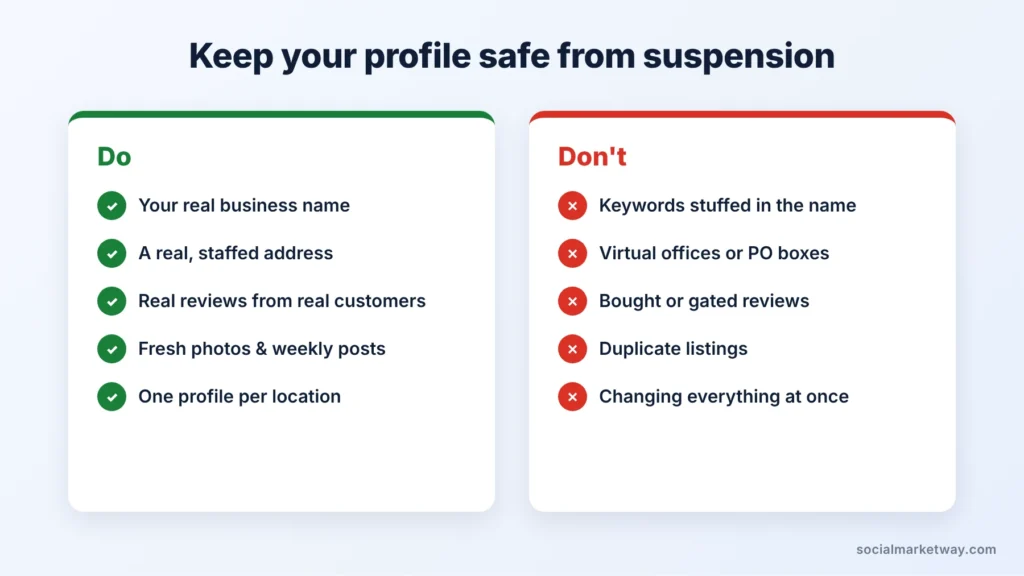
Google takes listing spam seriously. In one recent year it removed more than 13 million fake profiles and blocked tens of millions of inaccurate edits. Legitimate businesses get caught in that net too, usually because of avoidable mistakes:
- Keyword stuffing the business name. “Joe’s Plumbing – Best Emergency Plumber Dallas” breaks the guidelines. Use only your real-world name.
- Using a virtual office or PO box. If customers can’t visit or you don’t staff the address, it isn’t eligible as a storefront.
- Creating duplicate listings. Two profiles for one location split your reviews and can trigger a suspension. Merge or remove duplicates.
- Ignoring suggested edits. Customers and Google can propose changes to your profile. If you don’t review them, wrong hours or a wrong phone number can go live.
- Buying or gating reviews. Paying for reviews, offering discounts for five stars, or only asking happy customers violates Google’s policies and can wipe out your reviews.
- Changing too much at once. Editing your name, address and category on the same day can trigger re-verification. Make big changes one at a time.
- Setting it and forgetting it. An outdated profile with old photos, stale posts and unanswered reviews tells customers (and Google) the business may not be active.
That last point is the one most businesses miss. A Business Profile is not a one-time project. Competitors post, earn reviews and add photos every week, and Google keeps changing the rules. Treating local visibility as an ongoing process is the same principle behind ongoing SEO: the businesses that keep showing up are the ones that keep working on it.
If your profile gets suspended: don’t create a new one. Fix whatever broke the guidelines, gather proof that your business is real (business license, utility bill, photos of your signage), and submit a reinstatement request through Google’s appeal process.
Frequently Asked Questions
What is a Google Business Profile in simple terms?
It’s your business’s free listing on Google. It shows customers your name, location, hours, phone number, photos and reviews when they search for you or for what you offer on Google Search and Maps.
What is the difference between Google My Business and Google Business Profile?
There’s no difference in what they do. Google My Business was the old name. Google renamed it Google Business Profile and moved most editing directly into Search and Maps.
What is a Google listing?
A Google listing is the public view of a Google Business Profile: the panel or map result customers see when they search for a business. “Google listing,” “Google business listing” and “Google business page” all refer to the same thing.
What is Google My Business used for?
Google My Business, now called Google Business Profile, is used to get found in local searches, turn searches into calls, visits and bookings, build trust through reviews, feed Google’s AI answers with accurate business details, and track how customers find you. It’s free.
Do I need a website to have a Google Business Profile?
No, but it helps a lot. Google uses your website to confirm and expand on what your profile says, and AI answers pull information from both. A profile backed by a solid website almost always ranks better than one without.
How long does it take for a new profile to show up on Google?
After you complete verification, Google typically reviews the profile within about five business days. Ranking well for competitive searches takes longer and depends on your category, reviews, website and competition.
How do I know if my Google Business Profile is working?
Check the Performance section of your profile each month for views, searches, calls, website clicks and direction requests. Compare those numbers against leads and sales so you can see which actions actually drive revenue. If you’re running local SEO alongside your profile, tracking all of it in one place is the heart of good SEO campaign management.
Can I have more than one Google Business Profile?
Yes, but only one per real, staffed location. Each department or practitioner can sometimes have their own profile (for example, doctors in a clinic), but you can’t create profiles for cities where you don’t have a physical presence.
Is a Google Business Profile the same as Google Maps?
No. Google Maps is the app and map service. Your Google Business Profile is the listing that appears on Google Maps and Google Search. One profile powers your business’s appearance in both places.
Why is my Google Business Profile not showing up on Google?
The most common reasons are that the profile isn’t verified yet, it’s suspended, it’s under review after a recent edit, or it isn’t relevant or prominent enough to rank for that search. Search your exact business name first. If you appear for your name but not for your services, the issue is ranking, not visibility.
How much does a Google Business Profile cost?
Nothing. A Google Business Profile is free to create, verify and manage. Google only charges if you choose to run ads, such as Local Services Ads or Google Ads that appear in Maps and the Local Pack.
The Bottom Line
So, what is a Google Business Profile? It’s the free listing that decides whether local customers find you or your competitor. It controls what shows up in the map pack, the Knowledge Panel, Google Maps and now Google’s AI answers. Claiming it takes minutes. Keeping it optimized and ahead of competitors takes steady, ongoing work.
If you’d rather spend your time running your business, Social Market Way can handle it for you, from setup and verification to reviews, posts and rankings. Compare our SEO packages to find the level of support that fits your goals, or reach out and we’ll audit your current profile for free.