

Performance Max Shopping Campaigns: The Complete Guide

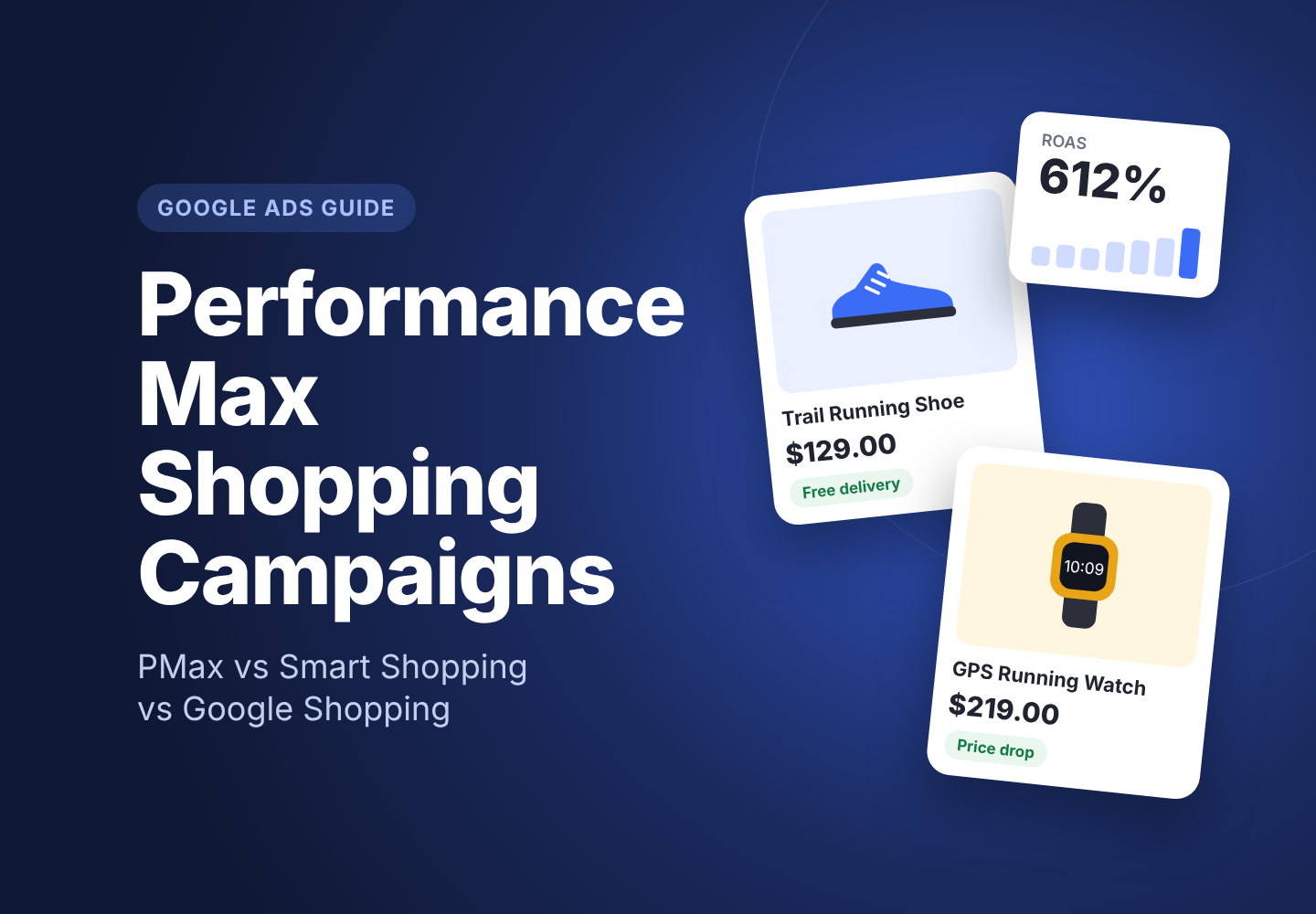
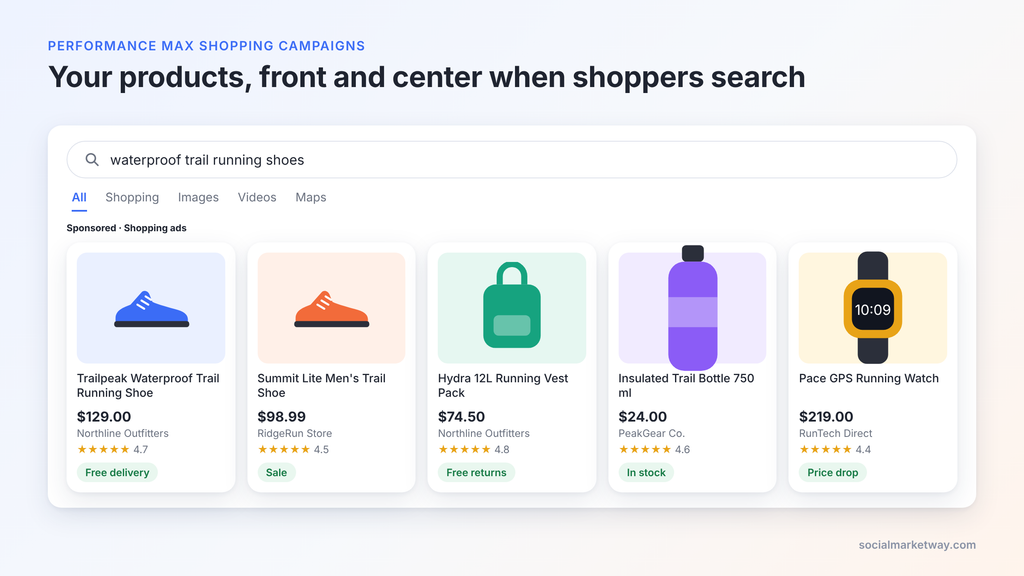
Performance Max shopping campaigns are now the default way most ecommerce brands sell through Google Ads. They take your Merchant Center product feed and show your products across Search, Shopping, YouTube, Display, Discover, Gmail and Maps from a single campaign, with Google’s AI setting bids and placements.
That reach is powerful, but it also hides a lot of control. This guide explains how Performance Max shopping works, how it compares with the old Smart Shopping campaigns and with Standard Shopping, and exactly how to set up and optimize it so your budget goes to profitable products, not wasted impressions.
In this guide you’ll learn:
- What Performance Max for shopping actually does with your feed and budget
- Performance Max vs Smart Shopping, and why Smart Shopping no longer exists
- Google Shopping vs Performance Max, and when to run both side by side
- A step-by-step setup checklist and the optimizations that move ROAS
If you’d rather have specialists run this for you, our Google Shopping campaign management team builds and manages Performance Max for ecommerce brands every day.
What is a Performance Max shopping campaign?
A Performance Max shopping campaign is a Performance Max campaign linked to a Google Merchant Center feed. Instead of only showing product listings on the Shopping tab, it uses your feed and creative assets to serve ads on every Google channel, and lets Google’s AI decide who sees which product, where, and at what bid.
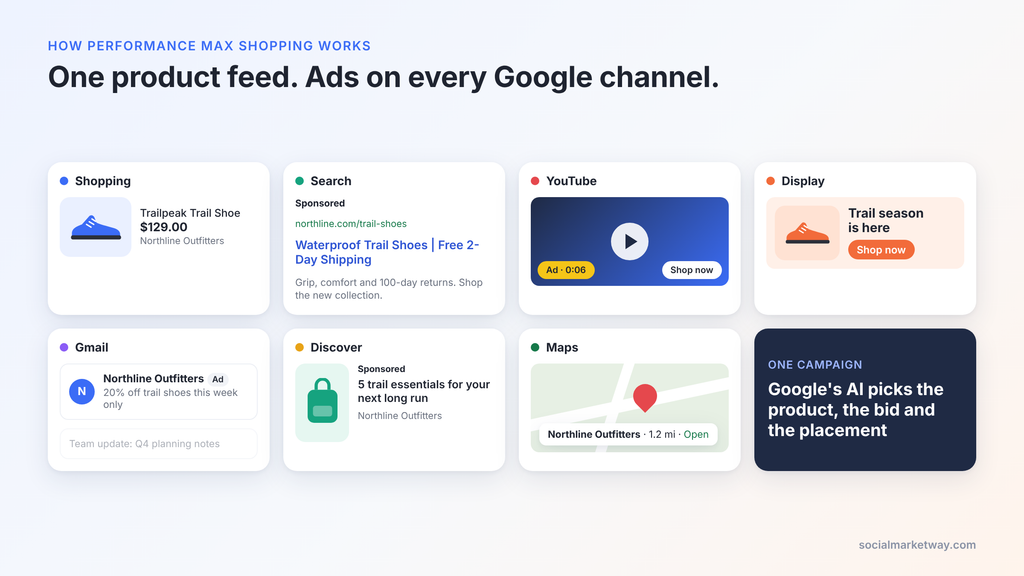
Every Performance Max shopping campaign runs on four inputs you control:
- Your product feed. Titles, images, prices, availability and custom labels from Merchant Center. This is the single biggest lever on performance.
- Asset groups. Headlines, descriptions, images, logos and videos Google uses to build ads beyond the Shopping carousel. A “feed-only” campaign skips these and behaves much like a Shopping campaign.
- Listing groups. Which products each asset group is allowed to advertise, split by brand, category, product type, item ID or custom label.
- Audience signals and search themes. Hints about your best customers and the queries that matter, which speed up learning but don’t limit reach.
Google then combines those inputs with your conversion goal (usually Maximize conversion value with a target ROAS) to bid in real time. Because it’s one campaign for all of Google’s inventory, Performance Max is usually the backbone of a modern Google Ads management strategy for ecommerce.
Performance Max vs Smart Shopping
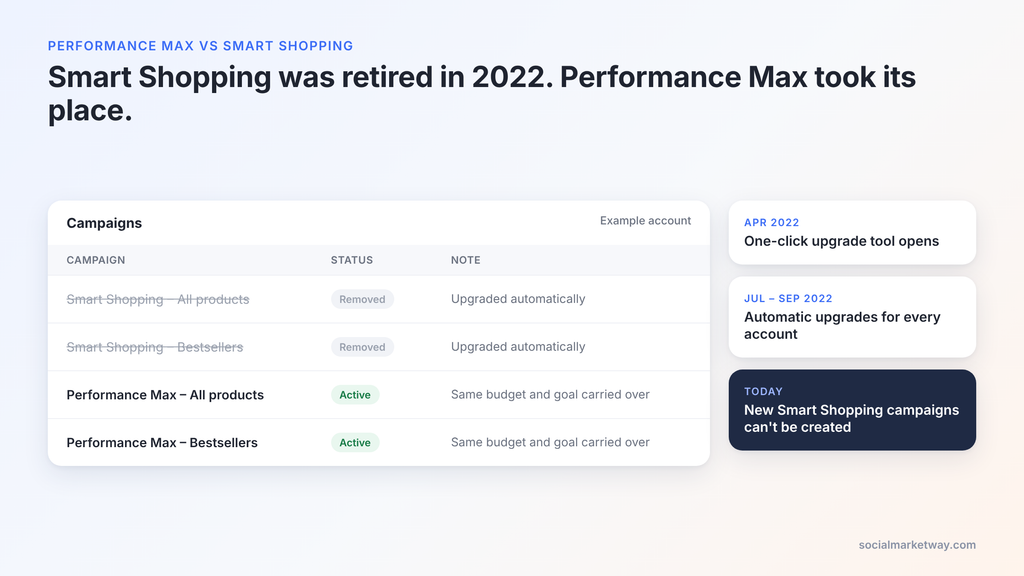
Smart Shopping no longer exists: Google automatically upgraded every Smart Shopping campaign to Performance Max between July and September 30, 2022, and new Smart Shopping campaigns can’t be created (Google Ads Developer Blog). If you’re comparing the two today, you’re really comparing your old setup with its replacement.
Google’s early testing found upgraded advertisers saw an average 12% increase in conversion value at the same or better ROAS (Google Ads Help). Your mileage will vary, but the structural differences are clear:
| Feature | Smart Shopping (retired 2022) | Performance Max for shopping |
|---|---|---|
| Status | Removed, can’t be created | Google’s default ecommerce campaign |
| Channels | Shopping, Display, YouTube, Gmail | Shopping, Search text ads, Display, YouTube, Gmail, Discover, Maps |
| Creative | Feed + a few basic assets | Feed + asset groups with headlines, images and video |
| Audience input | None | Audience signals and search themes |
| Search terms | Not visible | Search terms report for all campaigns |
| Negative keywords | Not available | Account-level and campaign-level (up to 10,000) |
| Channel reporting | None | Channel performance report |
| Customer goals | Basic | New customer acquisition with value bidding |
The biggest practical change is control. Smart Shopping was a black box. Since 2025, Performance Max has added campaign-level negative keywords, negative keyword lists, full search terms reporting and a channel performance report (Google Ads Help). That means a well-managed PMax campaign can be steered far more precisely than Smart Shopping ever could.
Google Shopping vs Performance Max: which should you use?
Standard Shopping campaigns still exist and are worth running alongside Performance Max for many stores. Since October 2024, Performance Max no longer automatically wins when both campaign types advertise the same product; the ad with the higher Ad Rank serves instead (Search Engine Land). That change made hybrid setups practical again.
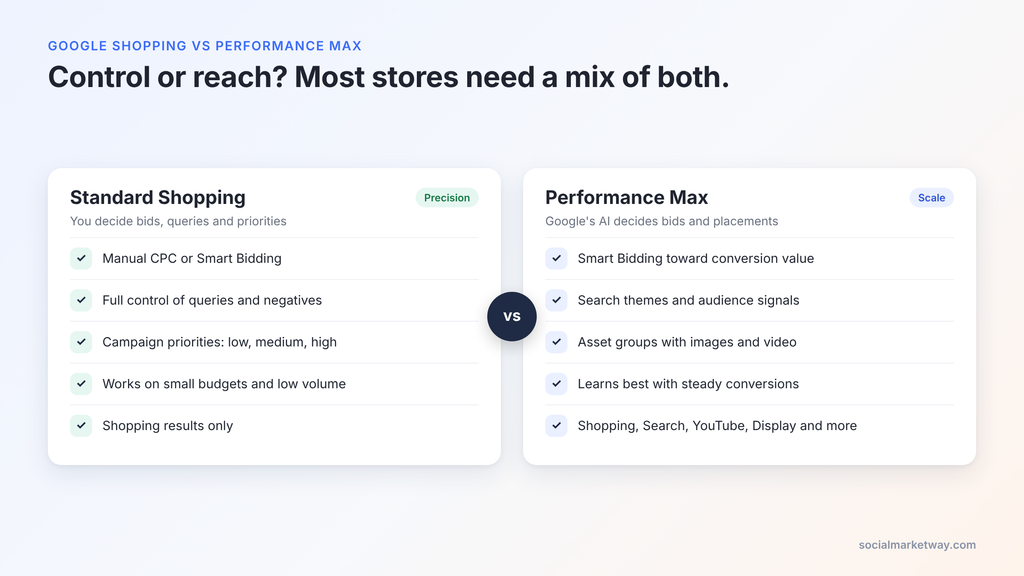
| Factor | Standard Shopping | Performance Max |
|---|---|---|
| Where ads show | Shopping results and Search Partners | All Google channels |
| Bidding | Manual CPC or Smart Bidding | Smart Bidding only |
| Control over queries | Full: negatives, priorities, query sculpting | Partial: negatives and search themes |
| Product segmentation | Ad groups and product groups | Asset groups and listing groups |
| Data needed | Works on low volume | Learns best with 30+ conversions a month |
| Creative needed | Feed only | Feed plus images, video and copy for best reach |
| Best for | Precise control, testing, tight budgets, brand terms | Scale, new customers, full-funnel reach |
Choose Performance Max when you have steady conversion volume, a healthy feed and want growth across channels.
Choose Standard Shopping when budgets are tight, conversion data is thin, margins are slim, or you need to see and control exactly which queries trigger which products.
Run both in most mid-size and large accounts. A common split is Performance Max for bestsellers and prospecting, with Standard Shopping for low-visibility products, brand queries and controlled tests. Use Google Ads experiments to compare them product group by product group rather than guessing. This kind of channel mix is exactly what a structured PPC management approach should decide with data.
How to set up a Performance Max shopping campaign
A clean setup takes about an hour if your feed and tracking are ready. Work through these steps in order:
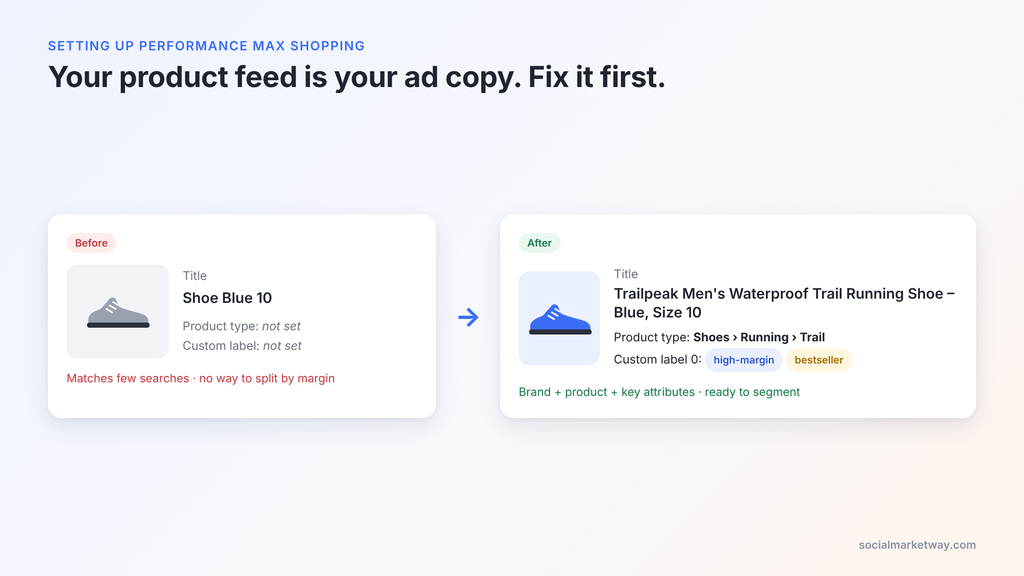
- Audit your Merchant Center feed. Fix disapprovals, write descriptive titles (brand + product + key attribute), use high-quality images and add custom labels for margin, bestsellers and seasonality.
- Confirm conversion tracking. Purchases must be tracked with accurate values. Enhanced conversions and a working Google tag are non-negotiable, because PMax bids on whatever you tell it is valuable.
- Create the campaign. In Google Ads, choose the Sales objective, select Performance Max and link your Merchant Center account.
- Set bidding and budget. Start with Maximize conversion value. Add a target ROAS once the campaign has a few weeks of stable data, set slightly below your current average so it doesn’t choke.
- Plan your asset groups. Group products that share an audience and margin profile, such as one asset group per main category or per margin tier.
- Set listing groups. Limit each asset group to its intended products so categories don’t compete for the same budget.
- Add creative assets. Upload at least 5 headlines, 5 descriptions, landscape and square images, a logo and a video. Without your own video, Google auto-generates one, often poorly.
- Add audience signals and search themes. Include customer lists, website visitors and custom segments based on your highest-intent search terms.
- Add brand and negative controls. Apply brand exclusions if a separate campaign handles brand traffic, and add account-level negatives for irrelevant terms.
- Launch and leave it alone. Allow 2 to 6 weeks of learning before judging results or making large changes.
7 ways to optimize Performance Max shopping campaigns
Once live, these optimizations do the most to improve ROAS:
- Treat the feed as your ad copy. Product titles act as keywords. Front-load the terms shoppers actually search, and test title variations with a feed management tool or supplemental feed.
- Segment by margin, not just category. Use custom labels to split high-, mid- and low-margin products into separate campaigns or asset groups with different ROAS targets. A single target across every product overspends on thin-margin items.
- Isolate zombie products. Products with no impressions in 30 days are being ignored. Move them into their own campaign or a Standard Shopping campaign with its own budget so they get a fair chance.
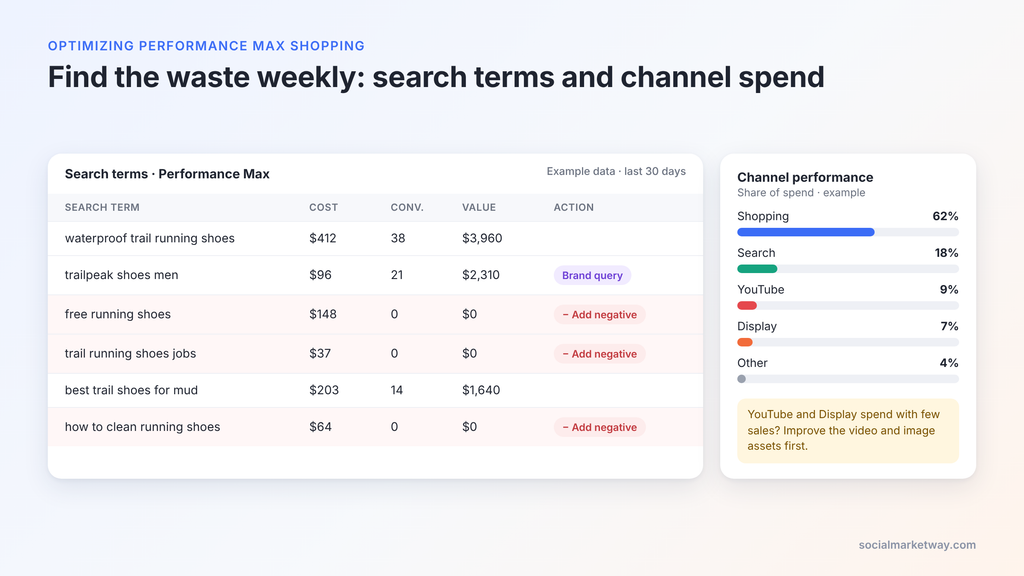
- Mine the search terms report weekly. It’s now available for all Performance Max campaigns. Add irrelevant and low-intent queries as campaign-level negatives, which apply to Search and Shopping inventory (Google Ads Help).
- Check the channel performance report. See how spend splits across Shopping, Search, YouTube and Display. If video or display eat budget without conversions, improve those assets or narrow your listing groups.
- Separate brand and non-brand. Brand searches inflate ROAS and hide true performance. Use brand exclusions in PMax and capture brand traffic with dedicated Search or Standard Shopping campaigns.
- Refresh creative every 4 to 8 weeks. Replace assets Google rates “Low”, and add lifestyle images and short vertical videos to win more placements outside the Shopping tab.
Avoid frequent budget or target changes. Adjust ROAS targets in steps of about 10 to 15% at a time, then give the algorithm a week or two to recalibrate.
Common Performance Max shopping mistakes
- Putting every product in one asset group. Bestsellers absorb the budget and the rest of the catalog never gets tested.
- Feeding bad conversion data. Duplicate purchases, missing values or micro-conversions set as primary goals train the AI to chase the wrong outcome.
- Setting ROAS targets too high on day one. An aggressive target throttles spend before the campaign learns. Start loose and tighten.
- Ignoring negative keywords. With search terms visible and up to 10,000 campaign-level negatives available, there’s no reason to fund irrelevant queries (PPC Land).
- Judging results too early. Pausing or restructuring in the first two weeks resets learning and hides what the campaign could do.
- Letting brand traffic flatter results. A 900% ROAS that comes mostly from people already searching your brand name isn’t growth.
When to bring in a Performance Max specialist
Performance Max rewards accounts with clean feeds, accurate conversion data and someone reviewing search terms, channel reports and product segments every week. If you’re seeing flat ROAS, products that never get impressions, or budget drifting into Display and YouTube without sales, it’s usually a structure problem rather than a budget problem.
Social Market Way helps ecommerce brands fix exactly that:
- Google Shopping campaign management covering feed optimization, Performance Max and Standard Shopping structure
- Google Ads management for Search, Shopping, YouTube and Performance Max under one strategy
- PPC management focused on ROAS, cost per acquisition and profitable scale
- Full paid media services when you want Google working alongside your other ad channels
Talk to our team and we’ll show you where your Performance Max shopping campaigns are leaking budget and what to fix first.
Frequently asked questions
Is Performance Max better than Google Shopping? Not always. Performance Max usually wins on reach and new-customer volume, while Standard Shopping gives more control and often performs better on small budgets or thin conversion data. Many accounts get the best results running both.
What happened to Smart Shopping campaigns? Google upgraded all Smart Shopping campaigns to Performance Max automatically, finishing by September 30, 2022. Smart Shopping can no longer be created.
Can I run Performance Max and Standard Shopping at the same time? Yes. Since October 2024, Ad Rank decides which campaign serves when both target the same product, so Performance Max no longer automatically takes priority.
Do Performance Max shopping campaigns need creative assets? No. A feed-only campaign works and mostly serves Shopping ads. Adding images, video and copy unlocks more placements on YouTube, Display, Discover and Gmail.
Can I add negative keywords to Performance Max? Yes. You can add up to 10,000 campaign-level negative keywords, use negative keyword lists and set account-level negatives. They apply to Search and Shopping inventory only.
How long does Performance Max take to learn? Plan for 2 to 6 weeks, depending on conversion volume. Avoid major changes to budget, targets or structure during that time.