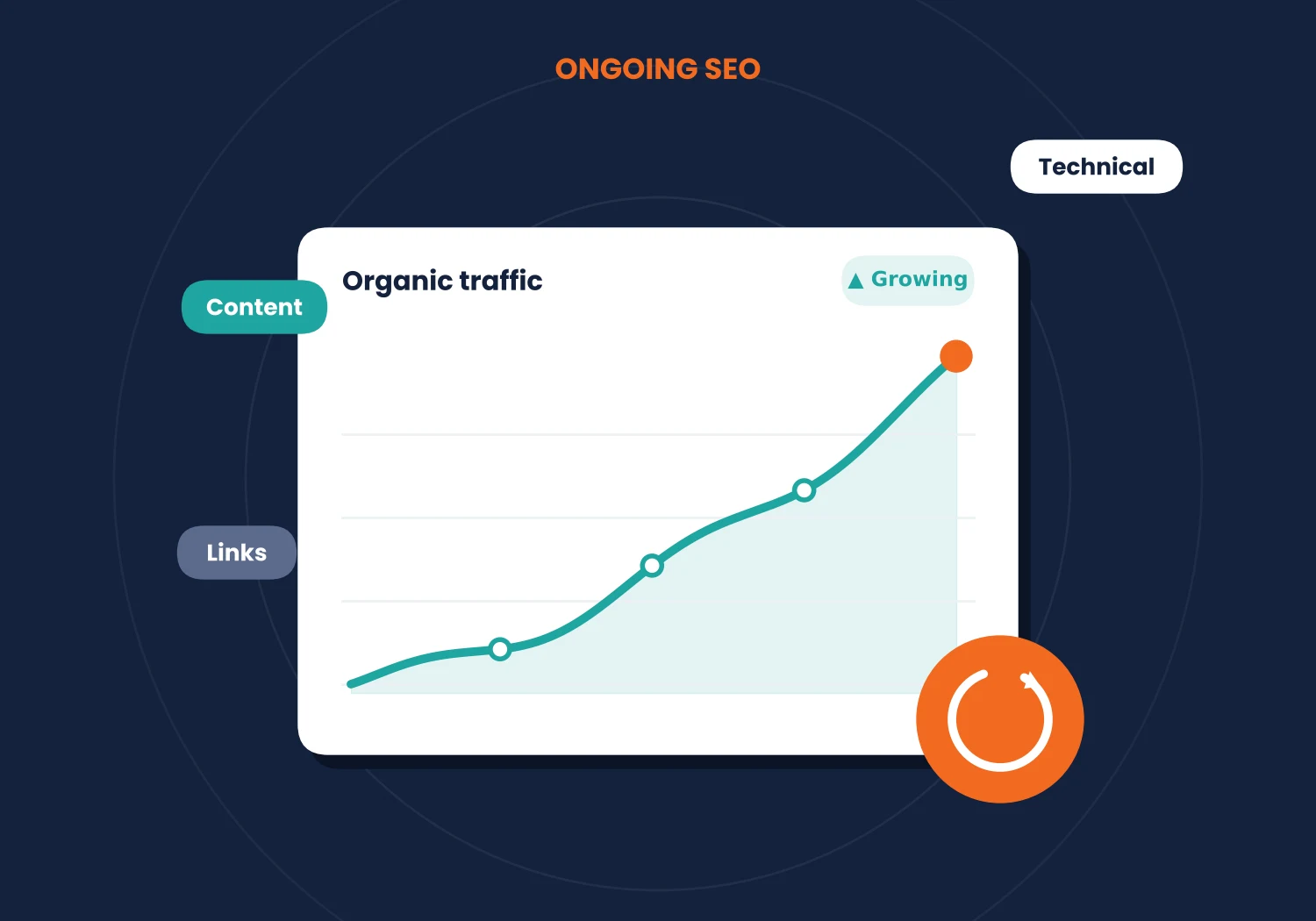




SEO Maintenance: The Complete Checklist to Keep Your Rankings Healthy

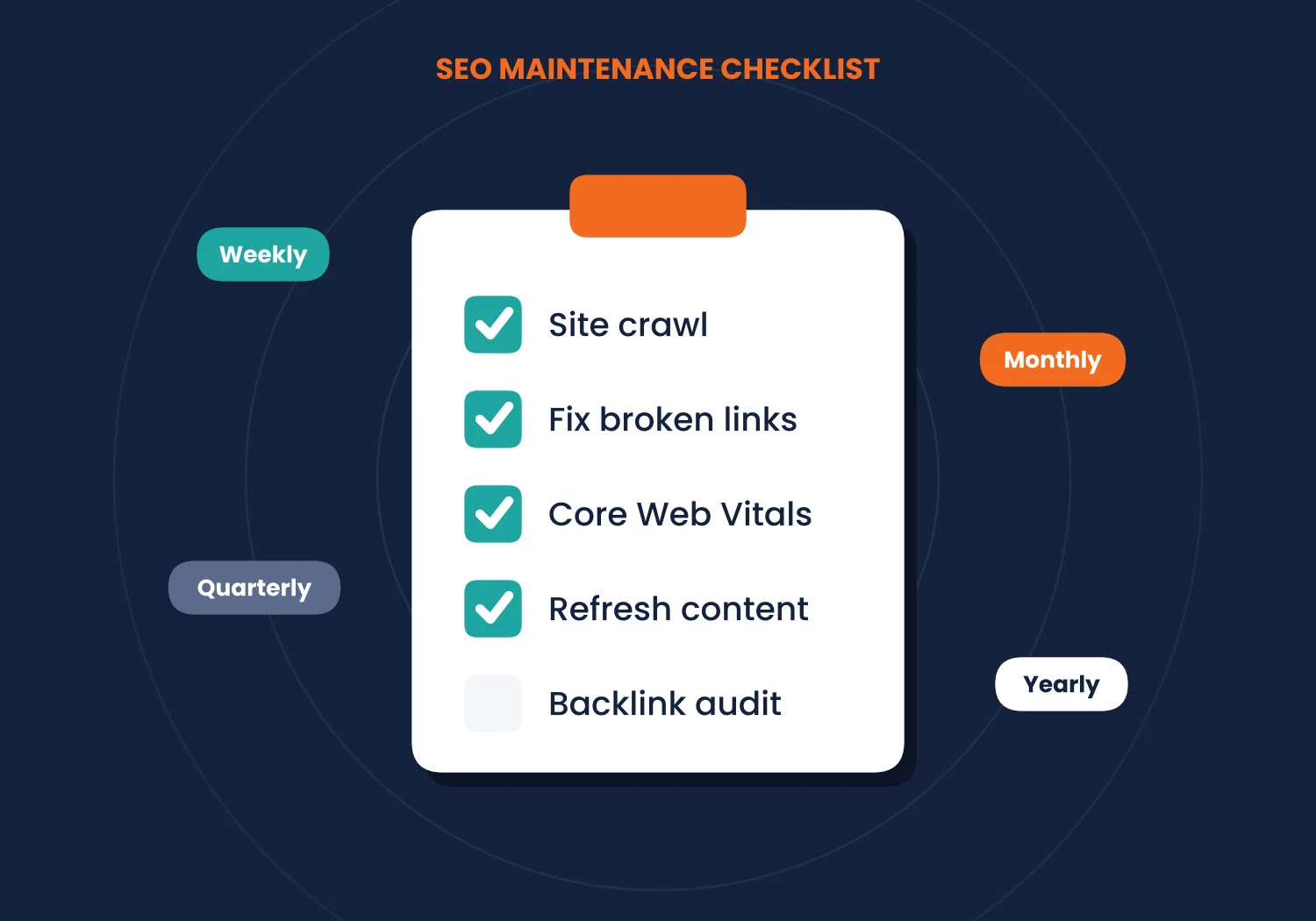
Published
You wouldn’t buy a car and never change the oil. Yet that’s exactly how many businesses treat their websites. They invest in SEO, climb the rankings, and then walk away, assuming the results will last forever.
They don’t. Pages break, content goes stale, competitors catch up, and Google keeps changing the rules. Without regular SEO maintenance, even a well-optimized website slowly loses the visibility it worked so hard to earn.
The good news? Maintaining your SEO is far easier (and cheaper) than rebuilding it after a drop. In this guide, you’ll get a complete SEO maintenance checklist broken down by weekly, monthly, quarterly and annual tasks, plus the tools to use, the mistakes to avoid, and how to decide whether to handle it yourself or hire help.
Key takeaways
- SEO maintenance is the routine upkeep that protects your rankings, traffic and leads after the initial optimization is done.
- The most important tasks are monitoring performance, fixing technical issues, refreshing content, protecting your backlink profile and keeping local listings accurate.
- A simple schedule (weekly, monthly, quarterly and annually) keeps maintenance manageable instead of overwhelming.
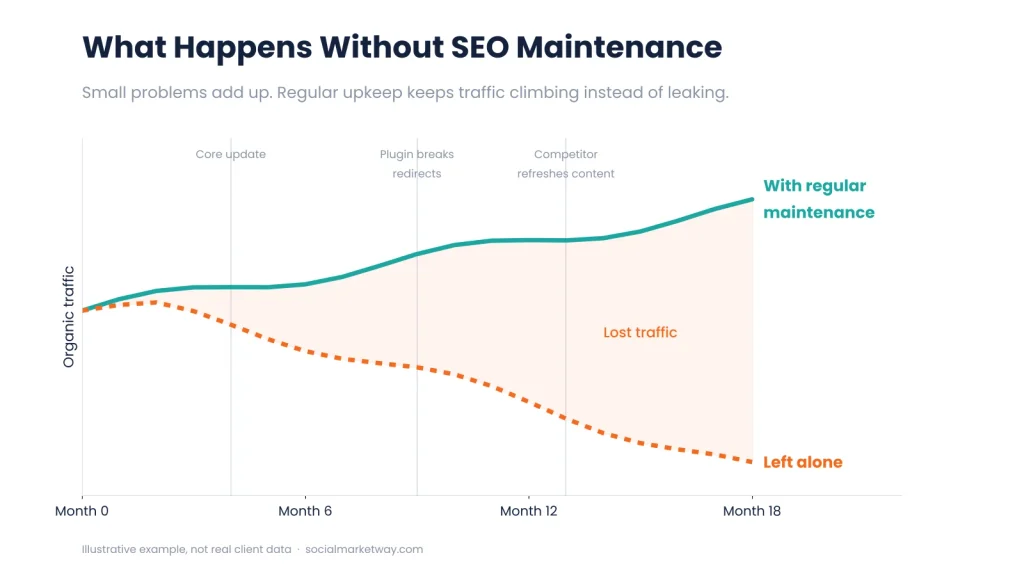
- Small problems caught early are quick to fix. Left alone, they snowball into traffic losses that take months to recover.
What Is SEO Maintenance?
SEO maintenance is the ongoing process of monitoring, updating and fixing your website so it keeps the search rankings and organic traffic it has already earned. It includes tracking performance, resolving technical errors, refreshing outdated content, managing backlinks and local listings, and adapting to search engine updates.
Think of it this way: SEO optimization gets your website to the top. SEO maintenance keeps it there.
It’s closely related to (but not exactly the same as) ongoing SEO. Ongoing SEO is the full growth program: new content, new links, new keywords and expansion into new markets. SEO maintenance is the protective layer inside that program, focused on keeping what you have healthy. If you want the bigger picture, our guide on what ongoing SEO is explains how growth and maintenance work together.
How much maintenance does SEO need?
It depends on your website’s size, how competitive your industry is and how often your site changes. As a rough guide:
| Website type | Typical maintenance time |
|---|---|
| Small local business site (under 30 pages) | 3 to 6 hours per month |
| Growing business site or active blog (30 to 300 pages) | 8 to 20 hours per month |
| E-commerce store or large content site (300+ pages) | 20+ hours per month, often a dedicated team |
Sites in competitive industries such as legal, healthcare, finance and home services usually need more frequent attention because competitors are pushing hard for the same keywords.
Why SEO Maintenance Matters
Rankings aren’t permanent. They’re a reflection of how your site compares to everything else on the web today. Here’s what wears them down over time.
Algorithm updates. Google rolls out several confirmed core updates every year, along with countless smaller changes. You can track the confirmed ones on Google’s Search Status Dashboard. Each update can reshuffle results, and sites that haven’t kept up with best practices tend to feel it most.
Technical decay. Every new page, plugin update, theme change or deleted product can introduce broken links, redirect errors, indexing problems or slower load times. Most of these issues are invisible unless you go looking for them.
Content aging. Statistics expire, prices change, screenshots go out of date, and newer articles cover your topics in more depth. Searchers (and search engines) notice.
Competitor activity. While you’re standing still, competitors are publishing, optimizing and earning links. Holding your position requires keeping pace.
Changing search results. AI Overviews, featured snippets, local packs and video results keep changing what page one looks like. Maintenance includes making sure your content is formatted to show up in those features.
Warning signs your site needs SEO maintenance now
- Organic traffic has dropped or flatlined for two or more months
- Important pages have slipped from page one to page two
- Google Search Console shows a growing number of “not indexed” pages
- Your site feels slow, especially on mobile
- Your blog posts still reference last year (or the year before)
- Your Google Business Profile has outdated hours, photos or unanswered reviews
Your SEO Maintenance Schedule at a Glance
The easiest way to stay on top of SEO maintenance is to break it into a recurring schedule. Small checks happen often, and deeper reviews happen less frequently. Here’s the full checklist in one view, and we’ll walk through each task below.
| Frequency | Focus | Key tasks |
|---|---|---|
| Weekly | Monitor | Check rankings and traffic, review Search Console alerts, respond to reviews, confirm site is up |
| Monthly | Fix and optimize | Run a site crawl, fix broken links, check indexing, review page speed, update on-page elements, publish or refresh content |
| Quarterly | Review and refresh | Content audit, backlink audit, competitor analysis, internal linking review, local citation check |
| Annually | Strategy reset | Full technical audit, keyword strategy refresh, content pruning, goal setting, platform and security review |
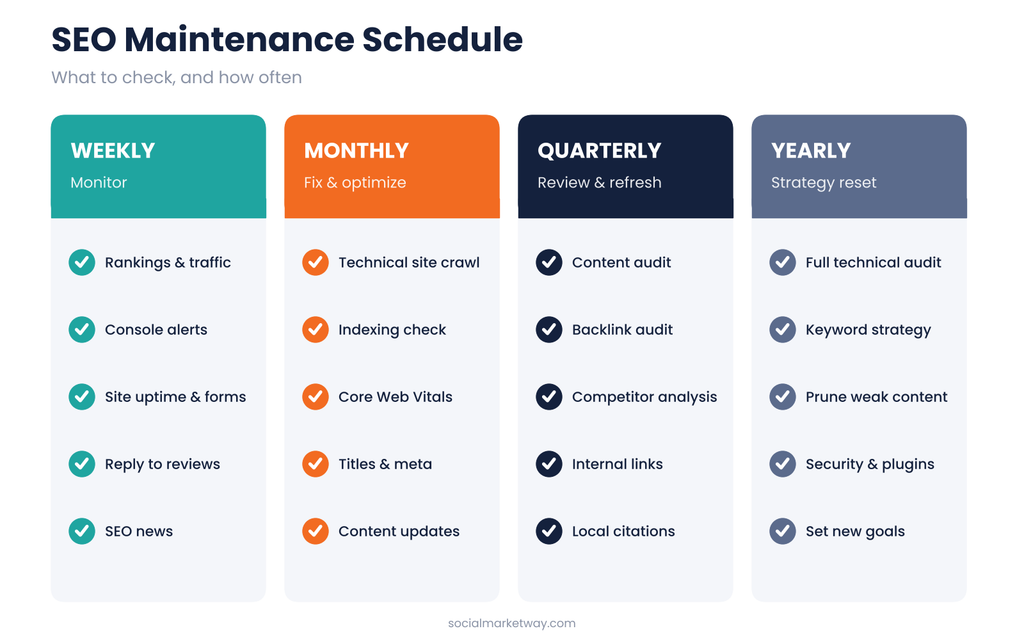
Treat this schedule like a campaign, not a to-do list. Assign owners, set deadlines and review the results each month. That’s the same approach we use in our SEO campaign management process, and it’s what keeps maintenance from slipping when things get busy.
Weekly SEO Maintenance Tasks
Weekly tasks are quick health checks. Together they should take less than an hour, and their job is to catch problems early before they turn into traffic losses.
1. Check keyword rankings and organic traffic
Open your rank tracker and Google Analytics 4 and look for unusual movement. You’re not looking for day-to-day noise. You’re looking for sudden drops on important pages or keywords.
- In GA4, go to Reports > Acquisition > Traffic acquisition and filter to Organic Search.
- Compare the last 7 days to the previous period.
- Flag any page or keyword that drops sharply, then dig into why.
2. Review Google Search Console alerts
Google Search Console is the most important free SEO maintenance tool you have. Check your messages and the Pages (indexing) report for new errors, manual actions or security issues. A sudden spike in “not indexed” pages is often the first sign something has broken.
3. Confirm your site is up and working
Use an uptime monitor to get alerted if your site goes down. Then spend two minutes testing your most important conversion paths: contact forms, booking tools, phone links and checkout. A broken form doesn’t hurt rankings directly, but it wastes every visitor SEO sends you.
4. Respond to new reviews
Reply to new Google reviews, positive and negative, within a day or two. Prompt, professional responses build trust with potential customers and keep your Google Business Profile active.
5. Keep up with SEO news
Set aside 15 minutes a week to scan trusted sources such as the Google Search Central Blog and Search Engine Land. When a core update rolls out, you’ll know whether a ranking change is about your site or about the whole industry.
Monthly SEO Maintenance Tasks
Monthly tasks are where most of the real fixing happens. Block out a few hours at the start of each month and work through this list.
1. Run a technical site crawl
Use a crawler such as Screaming Frog, Semrush Site Audit or Ahrefs Site Audit to scan your entire site. Prioritize these issues:
- Broken links (404 errors): fix or redirect them, starting with pages that have backlinks or traffic
- Redirect chains and loops: point old URLs directly to their final destination
- Duplicate content: consolidate with canonical tags or 301 redirects
- Missing or duplicate title tags and meta descriptions
- Orphan pages: important pages with no internal links pointing to them
- Pages blocked by robots.txt or tagged noindex by mistake
2. Check indexing in Google Search Console
Open the Pages report and review why pages aren’t indexed. Some exclusions are normal (like redirected URLs), but watch for important pages marked “Crawled, currently not indexed” or “Discovered, currently not indexed.” Use the URL Inspection tool to request indexing for updated or newly published pages, and make sure your XML sitemap is current and submitted.
3. Review page speed and Core Web Vitals
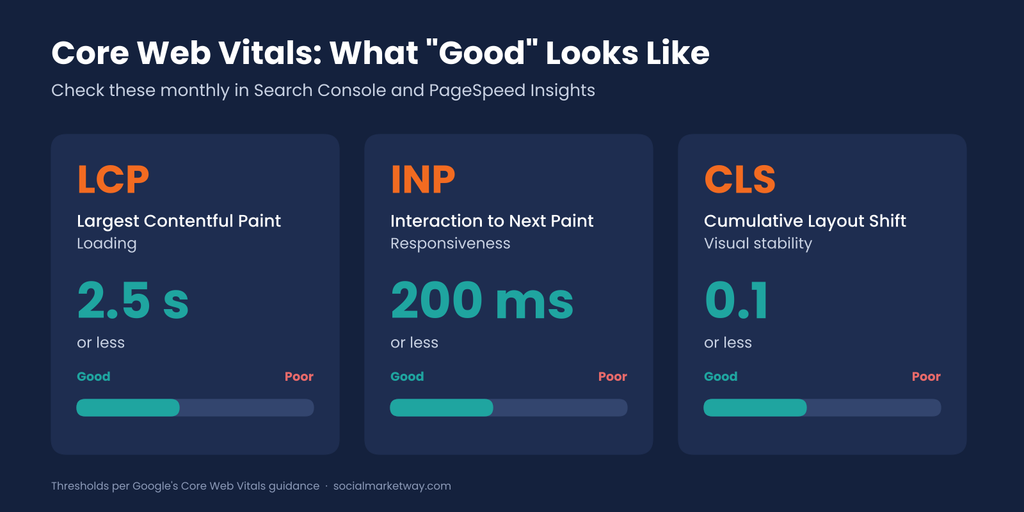
Slow pages frustrate visitors and can hold back rankings. Check the Core Web Vitals report in Search Console and test key pages in PageSpeed Insights. Google’s “good” thresholds are:
| Metric | What it measures | Good score |
|---|---|---|
| Largest Contentful Paint (LCP) | Loading speed | 2.5 seconds or less |
| Interaction to Next Paint (INP) | Responsiveness | 200 milliseconds or less |
| Cumulative Layout Shift (CLS) | Visual stability | 0.1 or less |
Common fixes include compressing images (WebP is ideal), lazy-loading media below the fold, removing unused plugins and scripts, and using caching or a CDN.
4. Fine-tune on-page SEO
Use Search Console’s Performance report to find pages with lots of impressions but a low click-through rate. These are your quickest wins. Rewrite their title tags and meta descriptions to be more compelling, make sure headers match search intent, add internal links from related pages, and check that images have descriptive alt text. Our on-page SEO services handle this kind of page-by-page tuning every month.
5. Publish or refresh at least one piece of content
Consistency signals that your site is active and authoritative. Each month, aim to publish one new piece of content or substantially update one existing page. (We’ll cover how to choose which pages to refresh in the quarterly section.)
6. Review conversions, not just traffic
Traffic is only valuable if it turns into leads and sales. Check which organic landing pages generate form fills, calls and purchases, and make sure your calls to action, forms and tracking are all working.
Quarterly SEO Maintenance Tasks
Every three months, zoom out. Quarterly tasks look at trends rather than individual errors, and they’re where you find the biggest opportunities.
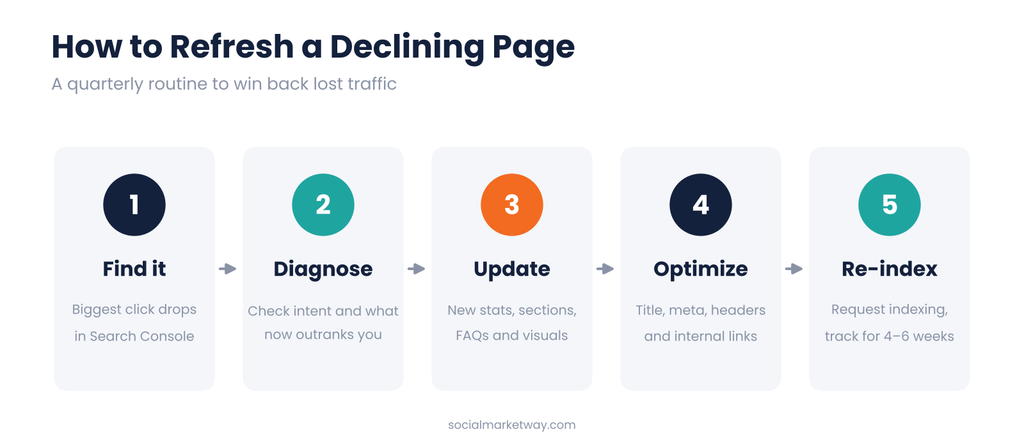
1. Run a content audit and refresh declining pages
Content decay is one of the most common (and most fixable) causes of lost traffic. In Search Console, compare the last three months to the same period last year and sort pages by the biggest drop in clicks. For each declining page:
- Update outdated statistics, dates, prices and screenshots
- Add sections that cover subtopics competitors now include
- Re-check search intent: does the top of Google now favor guides, lists, tools or videos?
- Add an FAQ section that answers related “People also ask” questions
- Improve readability with clearer headings, shorter paragraphs and visuals
- Update the publish date only when you’ve made meaningful changes
A good rule of thumb: review your most important pages at least every six months, and fast-moving topics more often.
2. Audit your backlink profile
Your backlinks need maintenance too. Each quarter, check:
- Lost links: reach out to recover valuable links that disappeared
- Broken backlinks: links pointing to pages on your site that now return a 404. Redirect those URLs to the most relevant live page to reclaim the authority.
- Suspicious links: large numbers of spammy links. Google is generally good at ignoring these, so only consider a disavow file if you have a manual action or a clear pattern of manipulative links.
- New link opportunities: unlinked brand mentions and sites linking to competitors but not to you
If you’d rather have experts handle this, our off-page SEO services cover backlink monitoring, cleanup and white-hat link building.
3. Analyze your competitors
Check which keywords competitors have gained, what new content they’ve published and where they’re earning links. Their wins often reveal gaps in your own strategy.
4. Review internal linking
As you publish new content, older pages can end up with few internal links. Make sure your most important service and product pages receive links from relevant blog posts, and add links from new articles back to established ones.
5. Check local citations
If you serve local customers, confirm that your business name, address, phone number, hours and website URL are consistent on Google Business Profile, Bing Places, Apple Business Connect, Yelp, Facebook and industry directories. Inconsistent information confuses both customers and search engines.
Annual SEO Maintenance Tasks
Once a year, step back and look at your SEO strategy as a whole.
1. Complete a full technical SEO audit
Go deeper than your monthly crawl. Review site architecture, URL structure, structured data (schema markup), mobile usability, HTTPS and security, international or multi-location setup, and how well search engines can render JavaScript content.
2. Refresh your keyword strategy
Search behavior changes year to year. Re-run keyword research for your core services, look for new questions your customers are asking, and update your keyword-to-page map so every important topic has one clear target page.
3. Prune or consolidate weak content
Pages with no traffic, no backlinks and no business value can dilute your site’s overall quality. For each one, decide whether to improve it, merge it into a stronger related page (with a 301 redirect), or remove it.
4. Review your tech stack and security
Update your CMS, themes and plugins, remove anything you no longer use, renew your SSL certificate and domain, and confirm backups are working. Many SEO emergencies start as security or hosting problems.
5. Set goals for the next year
Review last year’s results against your goals: organic traffic, rankings, leads and revenue. Then set realistic targets and decide where to focus your budget, whether that’s content, links, local SEO or technical improvements.
Best Tools for SEO Maintenance
You don’t need a huge budget to maintain your SEO, but the right tools make it dramatically faster.
| Tool | Cost | What it’s best for |
|---|---|---|
| Google Search Console | Free | Indexing, search performance, Core Web Vitals, manual actions |
| Google Analytics 4 | Free | Organic traffic, engagement and conversions |
| PageSpeed Insights | Free | Page speed and Core Web Vitals testing |
| Google Business Profile | Free | Local listings, reviews and posts |
| Screaming Frog SEO Spider | Free up to 500 URLs, paid license above | Technical site crawls |
| Semrush or Ahrefs | Paid | Rank tracking, site audits, backlink and competitor analysis |
| Uptime monitor (e.g. UptimeRobot) | Free and paid plans | Downtime alerts |
Start with the free Google tools. Add a paid all-in-one platform once you’re ready to track competitors and backlinks more closely.
DIY SEO Maintenance vs. Hiring SEO Maintenance Services
Can you handle SEO maintenance yourself? For a small site, absolutely, as long as you can commit the time every month. Here’s how to decide.
| Do it yourself | Hire SEO maintenance services | |
|---|---|---|
| Best for | Small sites with simple needs and a team member who has time | Growing businesses, competitive industries, larger or e-commerce sites |
| Cost | Your time plus tool subscriptions | Monthly retainer |
| Skills needed | Comfortable with Search Console, GA4 and your CMS | None, beyond reviewing reports |
| Biggest risk | Tasks slip when you get busy, and technical issues get missed | Choosing a provider that isn’t transparent about what they do |
A good SEO maintenance service should give you a clear list of monthly tasks, a report showing what was fixed and what changed, and a point of contact who explains results in plain English.
How much does SEO maintenance cost?
Maintenance-focused plans usually cost less than full growth campaigns because the work centers on monitoring, fixes and refreshes rather than producing large volumes of new content and links. Your price will depend on the size of your site, how competitive your market is, and whether local SEO, content updates and link monitoring are included. For a detailed look at pricing models and typical budgets, see our breakdown of how much SEO costs.
7 Common SEO Maintenance Mistakes to Avoid
- Only checking rankings. Rankings are one signal. Traffic, conversions and technical health tell you far more.
- Ignoring Google Search Console. It’s free, it comes straight from Google, and it’s often the first place problems show up.
- Changing URLs without redirects. Every time a URL changes without a 301 redirect, you risk losing the rankings and backlinks that page earned.
- Updating dates without updating content. Changing the publish date on an unchanged article doesn’t fool anyone. Make real improvements first.
- Panicking after every ranking drop. Rankings fluctuate. Check whether a core update is rolling out and look at trends over a few weeks before making big changes.
- Deleting pages that still have backlinks. If you remove a page, redirect it to the most relevant alternative so you keep its link authority.
- Forgetting about mobile. Google primarily uses the mobile version of your site for indexing and ranking, so test every change on a phone.
SEO Maintenance FAQs
What is SEO maintenance?
SEO maintenance is the routine work of monitoring, updating and fixing a website so it keeps its search rankings and organic traffic. It includes technical checks, content refreshes, backlink monitoring, local listing updates and performance tracking.
How often should you do SEO maintenance?
SEO maintenance should happen on a recurring schedule: quick checks weekly, technical fixes and optimizations monthly, content and backlink audits quarterly, and a full strategy review once a year.
What’s the difference between SEO maintenance and ongoing SEO?
SEO maintenance focuses on protecting the rankings and traffic you already have. Ongoing SEO includes maintenance but also covers growth activities such as targeting new keywords, publishing new content at scale and building new links.
What happens if you stop maintaining your SEO?
Rankings usually don’t vanish overnight. Instead, they decline gradually as content ages, technical issues pile up and competitors overtake you. Recovering lost rankings typically takes more time and money than maintaining them.
How long does SEO maintenance take each month?
A small business website may need just 3 to 6 hours per month, while larger or more competitive sites often need 20 hours or more.
Can I do SEO maintenance myself?
Yes. With free tools like Google Search Console, Google Analytics 4 and PageSpeed Insights, you can handle the basics yourself. Many businesses hire an agency once their site grows or when they don’t have time to stay consistent.
Keep Your Rankings Healthy With Consistent SEO Maintenance
SEO isn’t a one-and-done project, and the businesses that hold onto page one know it. A simple, consistent maintenance routine (weekly checks, monthly fixes, quarterly audits and an annual strategy reset) protects the traffic and leads you’ve already earned and sets you up for future growth.
Bookmark this checklist, put the tasks on your calendar, and start with the quick wins: check Search Console, fix broken links and refresh one declining page this month.
Don’t have time to maintain your SEO yourself? Social Market Way’s SEO packages include ongoing technical monitoring, content updates, link management and transparent monthly reporting, so your rankings stay protected while you focus on running your business. Contact us for a free SEO health check.